Reduce doomscrolling
Reduce Doomscrolling With a Real-Time Screen Time Timer
Use Sandflow to notice doomscrolling while it happens. Track distracting apps in real time and build more conscious phone habits.
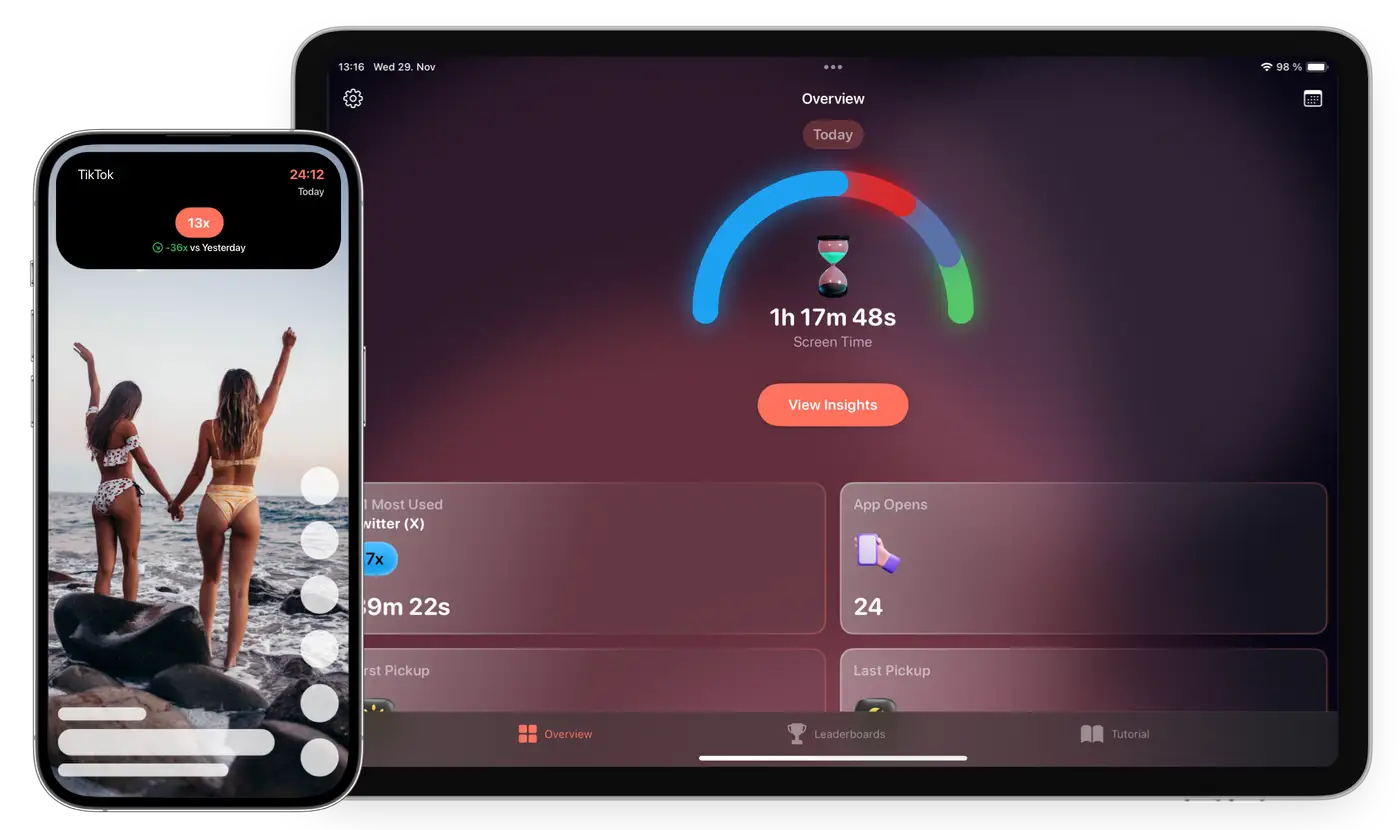
Catch long sessions before they run away
Track TikTok, Instagram, YouTube, games, and more
Use awareness before hard blocking
Why Sandflow exists
Phone habits usually do not change because someone sees one more dashboard. They change when the habit becomes visible at the right moment. Sandflow is designed around that moment: the first few minutes after opening an app, before a quick check becomes a long session.
Instead of trying to shame you or block every app, Sandflow gives you a clear signal. You choose which apps matter, connect them with Apple Shortcuts, and then use the timer as a practical cue for more conscious phone use.
Doomscrolling is often automatic
You open an app for a minute and suddenly twenty minutes are gone. Sandflow puts a timer in view so the session becomes a conscious choice again.
Small cues change behavior
The goal is not guilt. The goal is a visible interruption: a simple reminder that your attention is still yours.
Choose the apps that pull you in
Set up Sandflow for the apps that create your biggest time leaks, then use daily and all-time reports to spot patterns.
Common questions
Does Sandflow block social media apps?
Sandflow focuses on real-time awareness and app usage tracking rather than hard blocking.
Which apps can I track?
You can set up Shortcuts automations for the apps you choose, including social, streaming, shopping, and game apps.
Make distracting app time visible
Sandflow helps you notice the session while there is still time to change it.
Download on the App Store